
Editorial guide · France
Online singing lessons: what you need to know
Date:
Updated
Online singing lessons depend on listening, but the connection and microphone affect what a teacher hears. A simple setup can work when checked carefully. Equipment does not replace understandable instructions or attention to vocal comfort.

1 and 2. Choose a useful space and camera view
Use a space where you can sing without trying to overpower background noise. Heavy reverberation can make listening unclear; try a different position before buying acoustic panels.
Keep the face and upper body visible without raising your chin towards the screen. Place lyrics or music where they do not make you curl forwards during every phrase.
3. Test sound before buying
Try a spoken phrase and a few notes at a comfortable volume. If sustained sounds disappear, check noise reduction and automatic level settings. Dr Banerjee teaches live on Zoom; check which settings your device supports.
An external microphone may help some setups but is not automatically essential. Avoid clipping in particular: raising the input level does not repair sound that is already distorted.
4. Understand turn-taking
An ordinary video call does not guarantee perfectly synchronised singing between locations. Demonstration followed by a response can be clearer. You may also need locally played accompaniment in a format agreed beforehand.
Ask how lyrics, key and passages for practice will be identified. Discuss consent and intended use before making any personal recording; do not assume every lesson can be freely recorded.

5. Do not treat pain as progress
Singing should not become a contest of volume or extreme notes. Do not force a hoarse, painful or very tired voice. Persistent symptoms need medical advice; a lesson is not diagnosis or treatment.
The NIDCD, a public health institute, advises resting a hoarse or tired voice and seeking medical help for voice problems. General health advice complements rather than replaces teaching. Agree a realistic repertoire and goal with the teacher.
Three observations to separate voice from transmission
In your own connection test, separate physical sensation, sound heard in the room and sound received by the other device. A comfortable note may disappear in transmission. Conversely, clear capture does not establish comfortable voice use. These observations do not substitute for one another.
If transmission cuts out, check settings and microphone distance before raising vocal volume. If painful, stop: good technical reception does not justify forcing. The test identifies a technical question, not singing ability or a medical diagnosis.
Prepare a vocal question without self-diagnosis
Describe a simple fact: held notes drop out on the call, the score makes you lower your head or a phrase becomes uncomfortable. Avoid assigning an anatomical cause yourself. Musical feedback can address an observation, while a persistent disorder needs a health professional.
For an inquiry, give experience and the type of singing that interests you. Do not assume a promised range, audition outcome or rapid result. Western singing, Indian classical traditions and regional or Bollywood songs are distinct subjects to name as clearly as possible.
A voice that seems to disappear in the call may be affected by automatic sound processing. Compare a short local recording with what is heard on video, using the same position and a comfortable volume. Do not try to overpower a computer setting by singing louder. If the physical sensation is unpleasant or the voice hurts, stop; a video cannot provide a medical diagnosis. Musical feedback needs to account for what the connection actually transmits.
Frequently asked questions
Is a studio microphone compulsory?
No. Test your current device first and discuss a purchase only when a specific need appears.
Does a lesson replace medical advice about voice?
No. Persistent pain or voice problems need medical advice.
Does clear capture prove comfortable voice use?
No. Received sound and physical sensation are different. Stop if painful and seek advice for persistent problems.
Official resource and context
NIDCD: Taking Care of Your Voice. General health information; a voice problem needs medical advice.
Plan your next step
Describe what the microphone does not transmit: bring one concrete observation to the first conversation.
One free 15–30-minute one-to-one introductory session before enrolment. This is not a regular paid class or a group trial.
Instruments · About the teacher
The form prepares a WhatsApp or email draft for you to send yourself. Opening a draft does not confirm a booking.
Continue reading
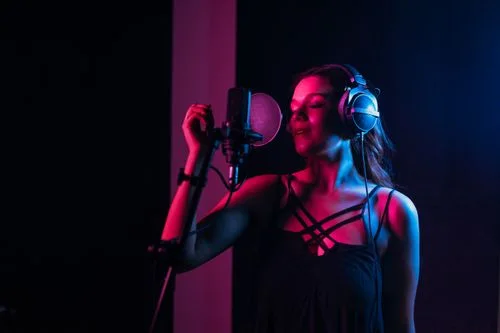
Photographs illustrate the topics; they do not show students, compulsory equipment or brand endorsements.